Friskription → Blog → Subtitle your own video
How to add translated subtitles to your own video
Drop a file into the browser, pick a language, and download the subtitles as SRT or VTT. Nothing to install, the video never leaves your computer, and the first thirty minutes each week are free.
The short answer
- Open the media studio — a web page, no extension and nothing to install — and drop in an MP4, WebM, MP3, M4A or WAV.
- Choose Generate a subtitle file and the language to translate into. The spoken language is detected for you.
- The file stays on your computer. It is decoded in the browser; only short pieces of audio are sent out to be transcribed, and they are not stored.
- Read the lines through, adjust the timing if a cue lands early, then download SRT for editors and players or VTT for a web page.
- Thirty minutes every week are free, and only speech is billed — silence and music in the file do not count.
What you need
- A browser. No extension, no download, nothing to sign up for yet.
- A file in MP4, WebM, MP3, M4A or WAV.
- A Google account, at the point where subtitles are actually generated — they are made on a server and billed by the minute, so they need somewhere to bill. Signing in creates the account if you do not have one, and it opens with 30 free minutes a week.
The four steps
-
Choose your file
Open the media studio and drop the video or audio in. It is read in the browser: the file itself stays on your computer, and only short pieces of the audio are sent out to be transcribed. Nothing is stored afterwards.
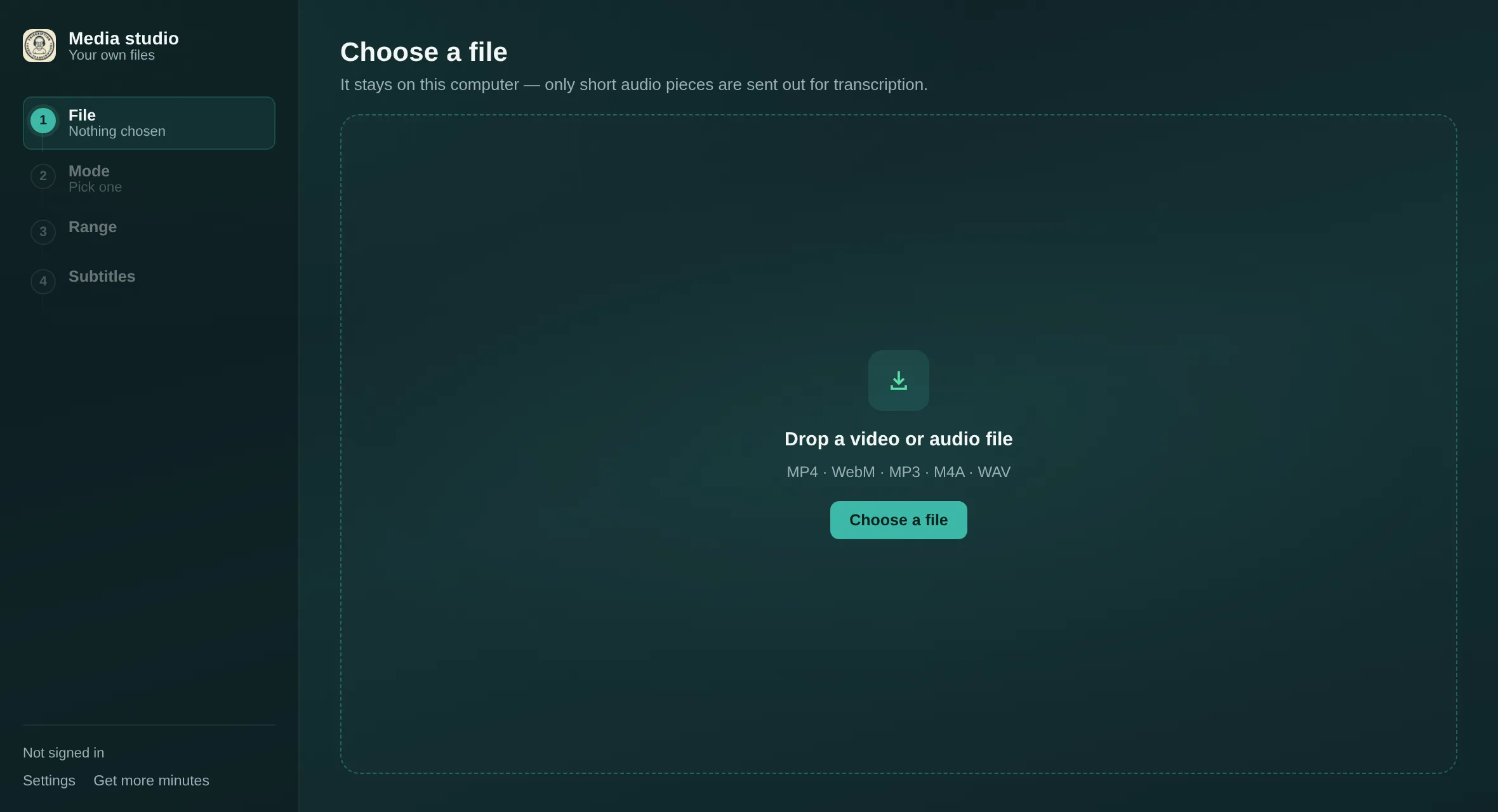
Step 1. The four steps down the left stay visible the whole way through. -
Say what you want, and into which language
Three things are on offer once the studio has read your file:
- Generate a subtitle file — the one this guide is about. Produces cues you can download as SRT or VTT.
- Watch with live subtitles — plays the file now, with lines landing as the speech does. Nothing to download.
- I already have subtitles — load your own SRT or VTT and just watch. This one is free and needs no account at all.
Set Translate into to the language you want. There are 47, and the spoken language is detected for you, so there is normally nothing else to set.
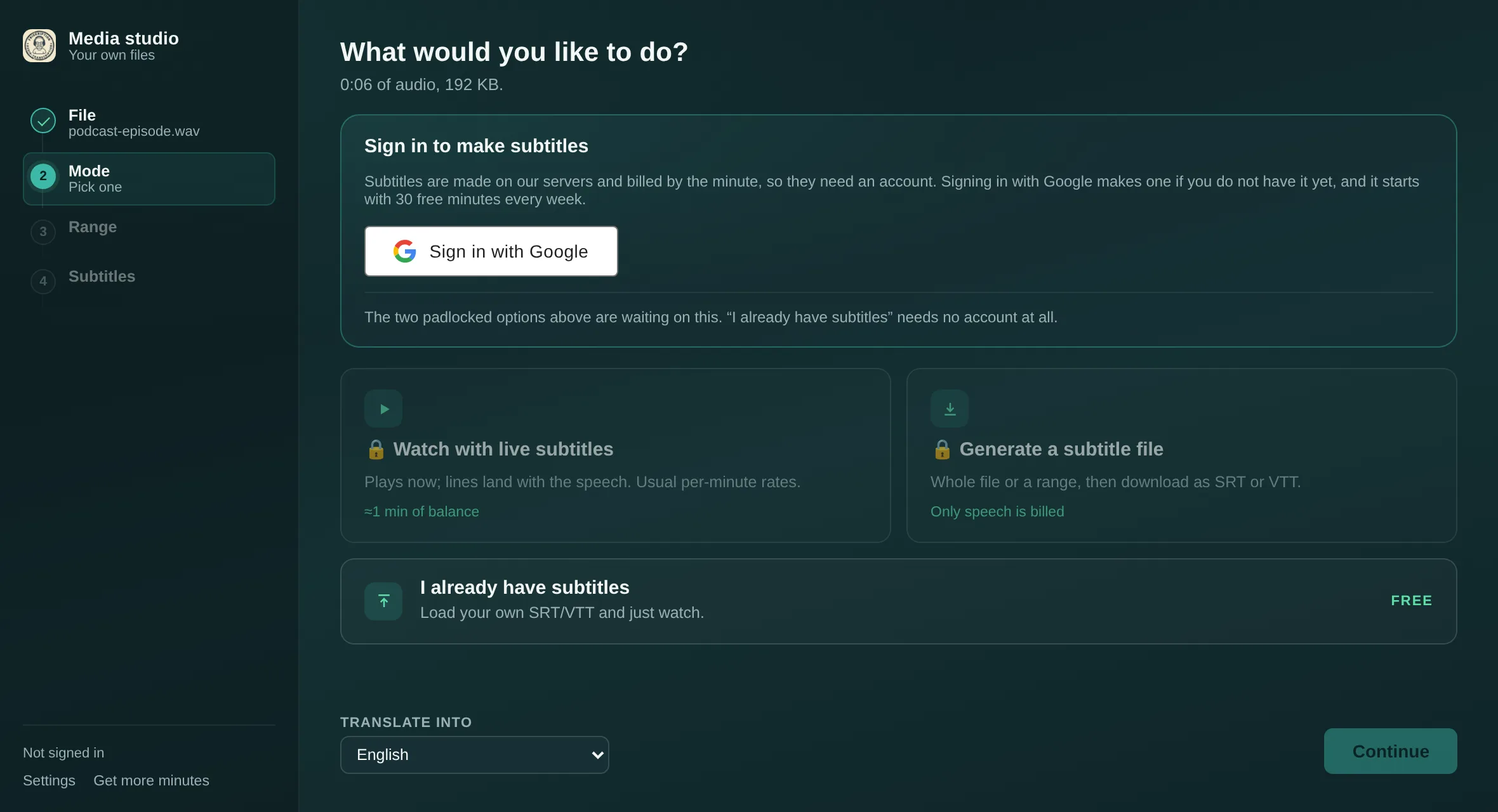
Step 2. The two padlocked modes are waiting on a sign-in; the third never needs one. -
Pick the whole file, or one part of it
Leave Everything ticked to subtitle the lot. To do one section instead, untick it, scrub the preview to a moment and pin it as the start, then do the same for the end. Only the range you choose is transcribed — useful when you want captions for a two-minute clip out of an hour-long recording.
Only speech is billed either way, so long silences, music beds and room tone in the file do not eat into your minutes.
-
Read it through, then download
The last step lists every line with its timing. Read it before you export — names and technical terms are where any transcript is weakest, and the glossary in Settings fixes a name for good if you are going to subtitle more from the same source.
If a cue lands consistently early or late against the picture, Adjust subtitles shifts them without regenerating anything. Then take Download SRT or Download VTT.
What you actually get
Both formats carry the same lines and the same timings. This is a real export, three cues long:
SRT
1
00:00:01,200 --> 00:00:04,600
So today we are finally opening the
box everyone has been asking about.

2
00:00:04,600 --> 00:00:07,900
I have not looked inside. Not once,
I promise.

3
00:00:08,300 --> 00:00:11,400
Right — let us do this properly.
VTT
WEBVTT

1
00:00:01.200 --> 00:00:04.600
So today we are finally opening the
box everyone has been asking about.

2
00:00:04.600 --> 00:00:07.900
I have not looked inside. Not once,
I promise.

3
00:00:08.300 --> 00:00:11.400
Right — let us do this properly.
The differences are small and entirely mechanical: VTT opens with a
WEBVTT line, and its timestamps separate the milliseconds with a
full stop where SRT uses a comma. Nothing else changes.
SRT or VTT — which one to take
| Where the subtitles are going | Take | Why |
|---|---|---|
| A video editor — Premiere, DaVinci Resolve, Final Cut, CapCut | SRT | The format every editor imports without being asked twice. |
| A desktop player — VLC, IINA, mpv | SRT | Drop it beside the video with the same filename and it loads itself. |
| Uploading captions to YouTube | SRT | YouTube takes both, but SRT is the path of least resistance. |
An HTML5 <video> on a web page |
VTT | The <track> element reads WebVTT and only WebVTT. |
| Not sure yet | SRT | Wider support, and converting to VTT later is a header line and a find-and-replace. |
There is a longer piece on the two formats if you want the complete list of what one can do that the other cannot.
Keeping the original language too
For language learning, or for an audience that wants to check the translation, each cue can carry both. Turn on Also show the original words under the translation in Settings before you generate, and the export looks like this:
1
00:00:01,200 --> 00:00:04,600
So today we are finally opening the box everyone has been asking about.
(というわけで今日は、みんなが気になってた例の箱をついに開けます。)

2
00:00:04,600 --> 00:00:07,900
I have not looked inside. Not once, I promise.
(中身はまだ見てません。一度も、本当に。)
The translated line comes first and the original sits beneath it in brackets, in the same cue — so any player shows them together without needing two subtitle tracks.
What it costs
Thirty minutes every week, free, refilled every Monday whether or not you have ever paid, and no card to start.
- Past the weekly allowance, a monthly plan brings 600 minutes a month for $5.99, or 1,500 for $12.99. The first month is half price and you can cancel at any time.
- Minute packs, $2.99 to $24.99 for up to 1,440 minutes, top a plan up as one-off purchases. Bigger packs cost less per minute, and minutes never expire.
- You can instead connect your own OpenAI, Anthropic or ElevenLabs API keys and pay only your provider.
Minutes are counted against speech, not file length, so a recording with long gaps costs less than its runtime suggests. Full prices are on the minute store.
The 47 languages
47 in all, including English, Japanese, Chinese (Simplified and Traditional), Korean, Spanish, French, German, Arabic, Hindi and Polish — the full list is in the extension. The language being spoken is detected automatically — you only choose what to translate into.
Questions
Do I need to install anything?
No. The media studio is a web page. The Chrome extension is for subtitling something playing live in a tab; for a file you already have, the browser is enough.
Does my video get uploaded?
No. The file is decoded in the browser and stays on your computer. Only short pieces of the audio are sent out to be transcribed, and they are not stored.
Should I download SRT or VTT?
SRT for video editors and desktop players, and for uploading alongside a video to YouTube. VTT if the subtitles are going on a web page, because HTML5 video only reads WebVTT. See the table above.
Can I get the original language and the translation in one file?
Yes — turn on "Also show the original words under the translation" in Settings before generating. Each cue is written with the translation first and the original beneath it in brackets.
What does it cost?
Thirty minutes every week are free and refill each Monday. Past that, a monthly plan brings 600 minutes for $5.99 or 1,500 for $12.99, half price for the first month, with minute packs from $2.99 as top-ups. Only speech is billed.
Which file formats can I subtitle?
MP4, WebM, MP3, M4A and WAV.
I already have a subtitle file — can I just watch with it?
Yes, and it costs nothing. Choose "I already have subtitles", load your own SRT or VTT, and the studio plays the video with them. No account needed.
What about subtitling a livestream instead?
That is the Chrome extension's job — it listens to a tab's audio and draws translated subtitles over the video as it plays, including on streams with no caption track. The home page covers it.
Subtitle something you already have
Thirty free minutes a week. No card, no install.
Open the media studio